
Making the sale
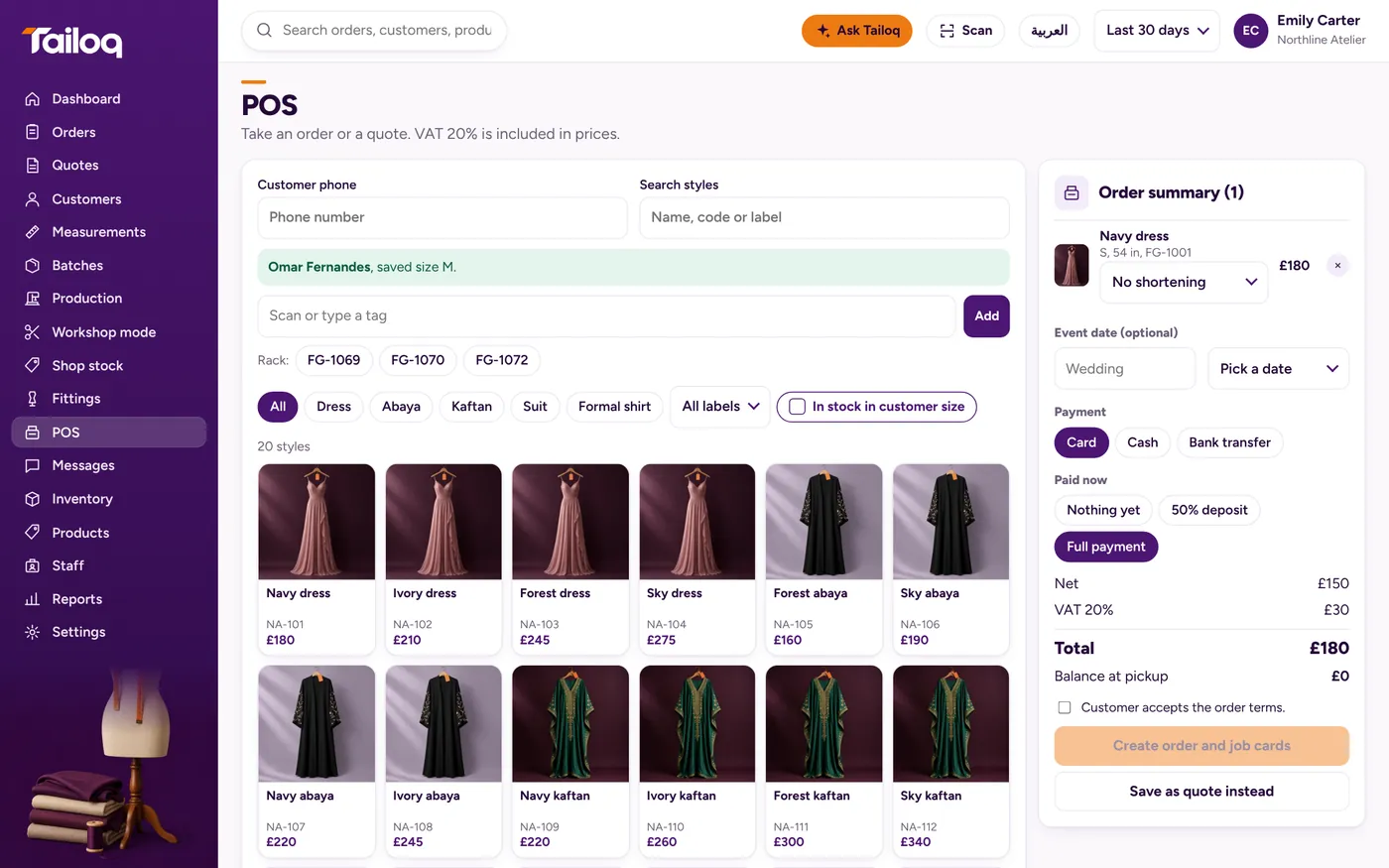
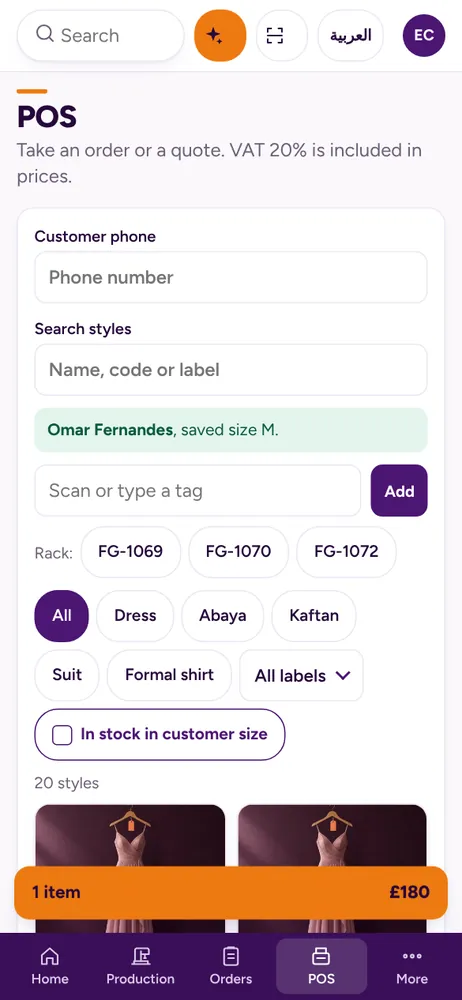
Search by style, pick the size and length, and check the stock. Or scan or type the tag, then press Add.
A sale goes against a customer already in Tailoq, so the piece lands in that customer's history.
Tailoq records how the customer paid. It does not take the payment itself.
A shortening becomes a workshop job
This is the part to see in a demo. A customer loves an abaya on the rack, but she needs it shorter. Scan or type the tag, enter the shorten-to length, and the sale creates an alteration job for the workshop.
No note on the counter, no message to the sewing room. Tag scanning, lengths and shortening at the sale run on the Boutique with a workshop preset. On other presets the POS takes a new order for the workshop. It suits boutiques and abaya and kandura makers who sell by length.
Deposits and balances
At the sale, take nothing, 50% or the full amount. Later payments of any amount go on the order, and the balance is shown wherever the order appears.
Example: a bridal gown sold at 600 with a 50% deposit leaves 300. A payment of 200 at the fitting leaves a balance of 100.
Stock by shop, size and length
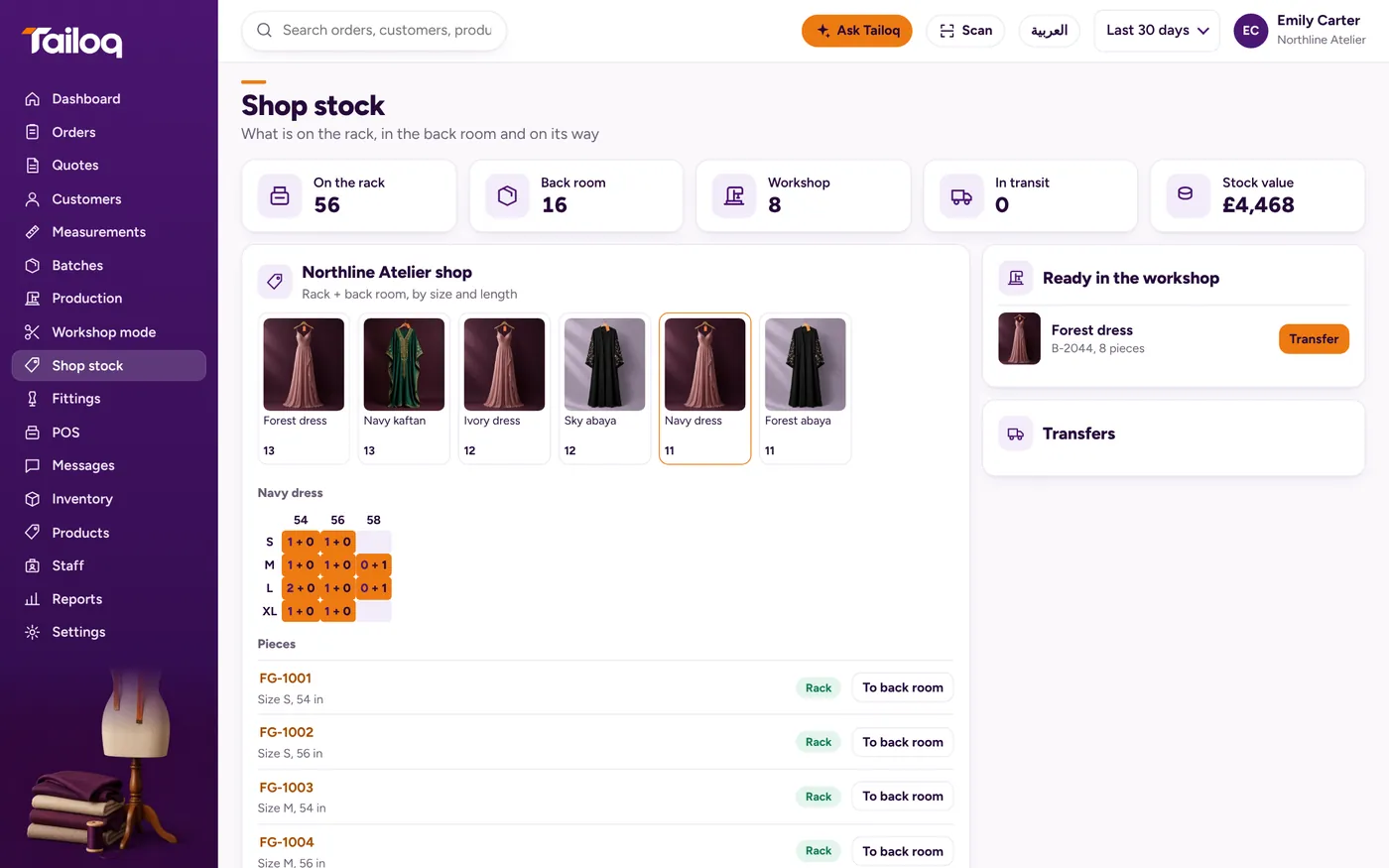
See pieces on the rack, in the back room, in the workshop and in transit, for each shop. A size-by-length grid shows which sizes and lengths are running out.
Finished pieces move from workshop to shop as a transfer, with a received check at the other end. A short delivery shows as Short.
Tax and closing the day
Prices include tax, and the net and tax amounts are shown on screen. Set VAT, GST or sales tax at your rate.
The sales report covers revenue and tax, sales by label and payment methods. Day-end cash closing is there for the person locking up.